
BLOG
Camera Stabilization for Videographers
Beginner Tips for Camera Stabilization in Video
There’s nothing worse than getting video clips into post and realizing there’s too much shake and the clips are basically unusable. Let’s set you up for success with some camera stabilization options.
Lens Choice & Focal Length
Before I show you the tools I use, let’s chat about lens choice and focal length. Because you’re a photographer, you understand that the longer the lens (long meaning focal lengths of 85 mm+) can require a more steady hand or else you risk blurry photos as a result of camera shake. The same goes for video. The wider your lens, the less slight camera movements will show vs longer lenses which emphasize any and all camera movement and can be uncomfortable for a viewer to watch.
Frames Per Second
Another thing to consider is the FPS you use. Camera shake at 24 & 30 fps is more noticeable than a 60 fps clip slowed down and stretched across multiple seconds. Not sure what I mean here? Refer to my video on Frames Rate for a detailed explanation.

Stabilization Tools
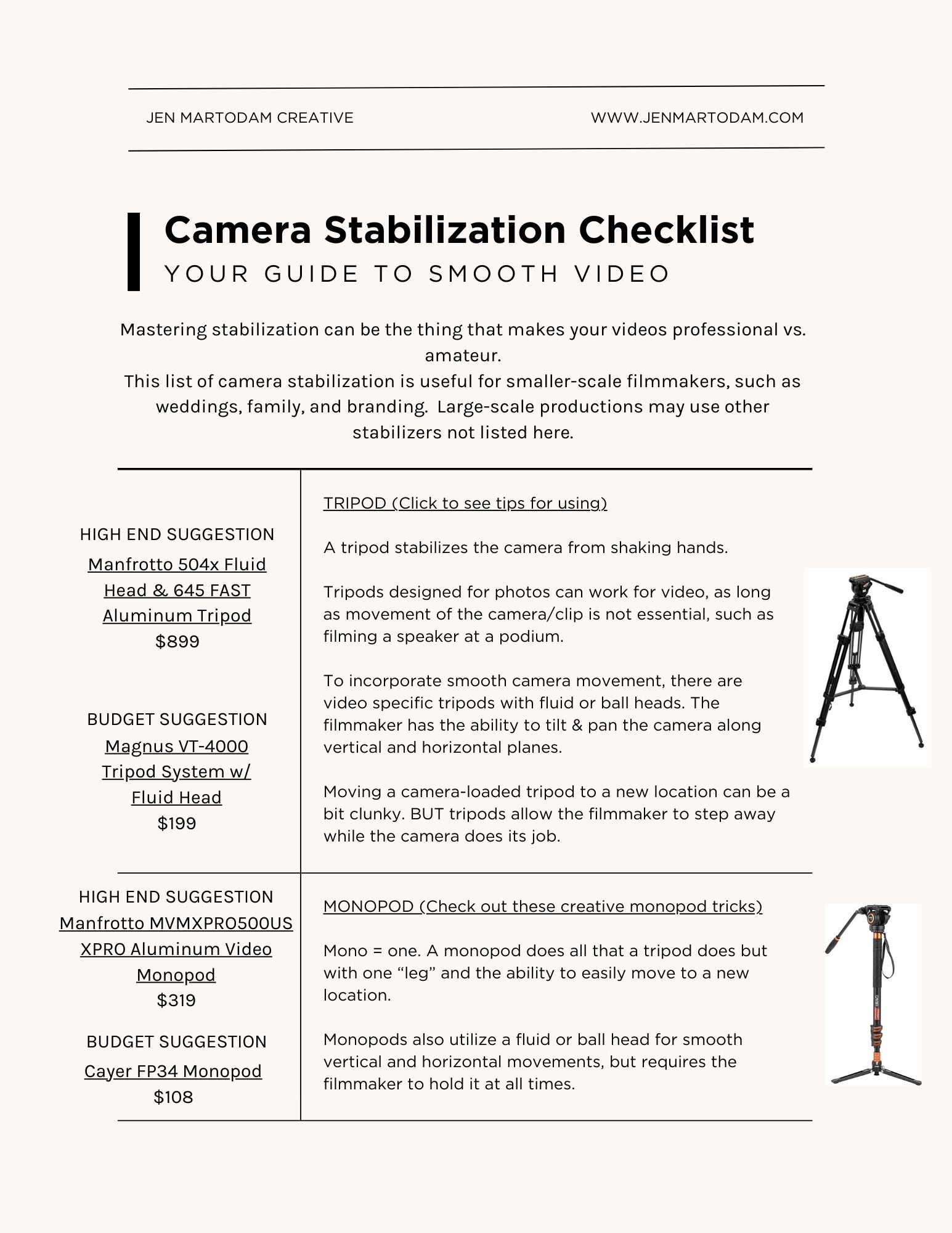
A tripod stabilizes the camera from shaking hands. Tripods designed for photos can work for video, as long as movement of the camera/clip is not essential, such as filming a speaker at a podium. To incorporate smooth camera movement, there are video specific tripods with fluid or ball heads. The filmmaker has the ability to tilt & pan the camera along vertical and horizontal planes.
Moving a camera-loaded tripod to a new location can be a bit clunky. BUT tripods allow the filmmaker to step away while the camera does its job.
Mono = one. A monopod does all that a tripod does but with one “leg” and the ability to easily move to a new location. Monopods also utilize a fluid or ball head for smooth vertical and horizontal movements, but requires the filmmaker to hold it at all times.
A gimbal is a pivoted support system that allows a camera to rotate smoothly about a single axis. Gimbals are commonly used to capture stable footage while moving, such as when walking, running, or filming from a moving vehicle.
Mechanical gimbals use counter weights and gravity to balance the camera on a frame. Motorized gimbals use an electric motor to offset the camera's motion. Both have a learning curve and require the filmmaker to balance the camera on the gimbal prior to shooting in order for it to work correctly.
Using your camera strap is the most accessible way to stabilize. And since you likey already have one, there’s zero new gear to purchase! To do so, wear your strap like a sling and hold the camera out in front of you, creating 3 points of contact. You may need to adjust your strap so it’s a comfortable length.
This does require some practice but requires no extra equipment and is available at all times. I personally use my camera strap to stabilize the most when I’m creating family or engagement videos. I have an entire video showing additional ways to use just a camera strap so be sure to check that out next.

Other Stabilization Options
A dolly or slider produces a sliding camera effect, meaning the camera moves horizontally as fast or slow as the operator wants.
A crane or jib is helpful for shots vertically higher than a tripod or to film something directly overhead looking down at the subject.
A vest stabilizer system is a harness that distributes the weight of a handheld camera stabilizer over your entire body.
I personally do not use these. For me, it’s just extra gear to purchase and store and I’m not going to take the time to set up a dolly in the middle of someone's living room for a couple of clips.
Going Steady
As a professional photographer, you've got a leg up since you know exposure, composition, color theory and the sort. It you're struggling with shaky footage, check out some of these video stabilization tools for beginners, including handheld, with a gimbal, or using a tripod.
Be sure to head to the description to snag my free Stabilization Checklist, complete with links to recommended stabilization equipment.

EMERALD RUE, FAMILY FILMS & PHOTOGRAPHS | [email protected]
Copyright 2026 Jennifer Martodam Creative, LLC